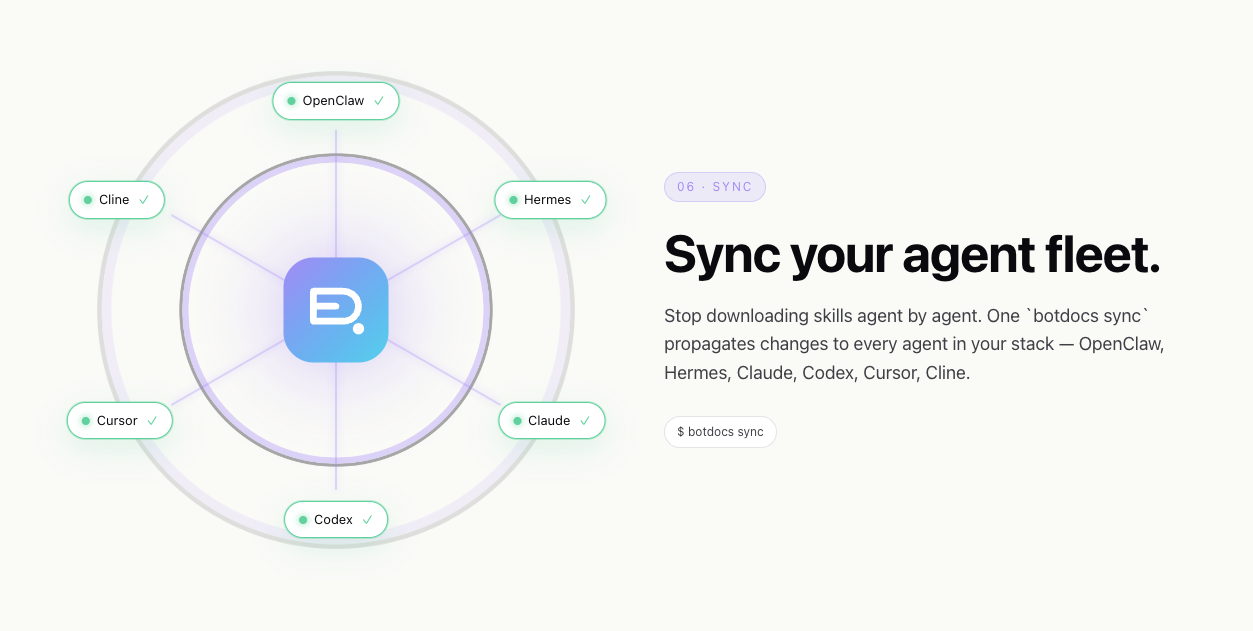
Write a skill once. Sync it to every agent you use. Here’s exactly how.
You’ve written a code-review skill that works perfectly in Claude Code. Now you need it in Cursor. And Copilot. And the Codex agent you’re experimenting with.
You could copy the file into each agent’s directory. But Cursor wants an .mdc rule in .cursor/rules/. Copilot wants an .instructions.md. Codex wants it in ~/.codex/agents/. And when you improve the skill next week, you get to do it all again.
Botdocs exists so you don’t have to. Here’s how it actually works.
Without Botdocs
| Step | What you do |
|---|---|
| 1 | Copy your skill into .claude/skills/ |
| 2 | Rewrite it as .mdc for .cursor/rules/ |
| 3 | Reshape it for .instructions.md (Copilot) |
| 4 | Restructure for ~/.hermes/skills/ |
| 5 | Re-do for ~/.codex/agents/ |
| 6 | Skill improves? Redo all 5 |
| 7 | Teammate needs it? Email a zip |
| 8 | New hire? “Ask Sarah for the skills” |
With Botdocs
botdocs publish    # write once, version it
botdocs sync       # every agent, native format, done
Skill improves? One publish. Teammate needs it? Already in their library. New hire? botdocs sync on day one.
The core idea
Botdocs is a skill library with a CLI. You write your skill once, publish it to Botdocs, and then botdocs sync installs it into every agent you use — in each agent’s native format, in the right directory, with the right frontmatter.
It’s not a copy. Each agent gets the file shape it expects:
| Agent | Format | Location |
|---|---|---|
| Claude Code | SKILL.md | ~/.claude/skills/ |
| Cursor | .mdc rule | .cursor/rules/ |
| Copilot | .instructions.md | .github/ |
| Codex | skill directory | ~/.codex/agents/ |
| OpenClaw | SKILL.md | skills/ |
| Hermes | SKILL.md (structured sections) | ~/.hermes/skills/ |
| Windsurf | rule file | agent config dir |
| Gemini / Antigravity | GEMINI.md or AGENTS.md | project root |
| ChatGPT | copy-paste block | — |
One source of truth. Ten agents. Each one gets what it expects.
What Botdocs doesn’t do: It doesn’t change how each agent’s underlying model interprets your instructions. Claude Code’s deep-context reasoning, Cursor’s selective processing, Codex’s execution patterns — those are properties of the models, not the files. Botdocs handles the part that is fixable: format, placement, and keeping everyone current.
For solo devs
If you use two or more agents, Botdocs saves you the format-and-copy dance every time you create or update a skill. Here’s the workflow:
Getting started
Install the CLI and log in:
npm i -g @botdocs/cli
botdocs login
Already have skills scattered around?
If you’ve got skills in .claude/skills/, .cursor/rules/, or anywhere else on your machine, Botdocs can find and import them:
botdocs ingestThis scans your machine for existing skill files, lets you pick which ones to import, and uploads them as drafts. You can also point it at a specific directory:
botdocs ingest ./my-skills/
botdocs ingest --from-tool=cursor .cursor/rules/
Creating a new skill
Scaffold a new skill:
botdocs init code-reviewThis creates a directory with index.md (your skill content) and botdocs.json (metadata). Write your skill as markdown — the same way you’d write a SKILL.md or a .cursor/rules file today.
When you’re happy with it, publish:
botdocs publish code-review/Your skill is now versioned, compiled into each agent’s native format, and available at a URL like botdocs.ai/@yourname/code-review.
Multi-agent compilation
This is the part that matters. When you publish, Botdocs compiles your canonical skill into each agent’s expected format. If you want to control this step more precisely:
botdocs init code-review --canonical    # scaffold with multi-ecosystem support
botdocs compile code-review/            # generate per-agent files locally
The compile step uses a lightweight model (Claude Haiku or GPT-4o mini) to re-emit your skill in each agent’s native shape — frontmatter, section structure, file format — so it loads correctly in every target.
Syncing across your agents
Once published, install to all your agents at once:
botdocs syncThat’s it. Your code-review skill is now in ~/.claude/skills/, .cursor/rules/, ~/.codex/agents/, and wherever else your agents expect it.
Next week, when you sharpen the skill after catching a new edge case:
botdocs publish code-review/    # publish the update
botdocs sync                    # update every agent
Two commands. Every agent has the latest version.
Keeping things current
Botdocs tracks versions in a lockfile (~/.botdocs/installed.json). During sync, it compares fingerprints against registry versions and applies clean updates. If you’ve locally edited a synced file, it’ll prompt before overwriting.
You can also install a shell hook that quietly notifies you when updates are available:
botdocs install-instructions --shell-hookOr check manually anytime:
botdocs check-updatesAnd if a sync goes wrong, undo it:
botdocs undoThe undo is reversible — running it twice swaps back. Botdocs automatically backs up original files before every sync.
For teams
The solo workflow is convenient. The team workflow is where Botdocs becomes essential — because the problem isn’t just format and placement, it’s keeping five people on the same version across three different agents.
Setting up a team
Create a team and add your members:
botdocs team create acme --name "Acme Engineering"
botdocs team add acme @alice --role write
botdocs team add acme @bob --role write
botdocs team add acme @charlie --role read
Roles are ADMIN, WRITE, and READ. The creator is automatically the first admin.
Pinning skills to the team
When you have a skill the whole team should use, pin it:
botdocs team push acme @yourname/code-review
botdocs team push acme @yourname/deploy-checklist
botdocs team push acme @yourname/debugging-workflow
You can pin a specific version if you want to control rollouts:
botdocs team push acme @yourname/code-review --version 3What teammates see
Every team member runs one command:
botdocs syncThey get every pinned skill, compiled into whatever agents they personally use. Alice uses Claude Code and Cursor — she gets SKILL.md files and .mdc rules. Bob uses Hermes and Codex — he gets structured skills in ~/.hermes/skills/ and ~/.codex/agents/. Charlie just switched to Copilot — he gets .instructions.md files. Same skills. Each person’s agents get the right format.
A new hire on day one:
npm i -g @botdocs/cli
botdocs login --sync-library
botdocs sync
Three commands and they have the team’s entire skill library — code review standards, deployment checklists, debugging workflows, house style — installed in every agent they use. No asking around in Slack. No hunting through a wiki. No “which version is current?”
Same skill, different agents — each person gets the right format:
| Teammate | Agents | What botdocs sync installs |
|---|---|---|
| Alice | Claude Code, Cursor | SKILL.md in ~/.claude/skills/ + .mdc in .cursor/rules/ |
| Bob | Hermes, Codex | Structured skill in ~/.hermes/skills/ + ~/.codex/agents/ |
| New Hire | Copilot, Cursor | .instructions.md in .github/ + .mdc in .cursor/rules/ |
When skills improve
This is where the team layer really matters. Someone sharpens the code-review skill after a production incident. They publish the update:
botdocs publish code-review/Since it’s pinned to the team, the next time anyone runs botdocs sync, they get the latest version — automatically compiled for their agents. The fix that came from a real incident is now in every agent on every teammate’s machine. Not as a Slack message that half the team misses. As an actual skill update, in the right format, in the right place.
What you can see
Check your team’s current state anytime:
botdocs team show acme        # members + pinned skills
botdocs list                  # what's installed locally
botdocs check-updates         # what's changed since last sync
The things Botdocs handles (and the things it doesn’t)
I want to be honest about what this tool does and doesn’t do, because overclaiming is rampant in this space.
What Botdocs handles:
- Format: Re-emits each skill in the native shape its target agent expects —
.mdcfor Cursor,SKILL.mdfor Claude Code,.instructions.mdfor Copilot, structured sections for Hermes, and so on. - Placement: Installs to the right directory —
~/.claude/skills/,.cursor/rules/,~/.codex/agents/,~/.hermes/skills/, etc. - Versioning: Tracks which version each person has, detects updates, manages rollbacks.
- Team sync: One canonical skill, pinned to the team, pulled by each member into whatever agents they run.
- Backup: Automatic backup before every overwrite, with undo support.
What Botdocs doesn’t handle:
- Model interpretation. Claude Code reads instructions deeply and follows multi-step chains faithfully. Cursor processes instructions more selectively. Hermes uses progressive disclosure. Each model behind each agent interprets the same instructions somewhat differently. That’s a property of the models, not the files — and no tool can fix it. Botdocs eliminates every other source of divergence (wrong format, wrong path, stale version, per-machine edits) so model interpretation is the only variable left.
Getting started
The whole thing is at botdocs.ai. The CLI is open, the workflow is three commands, and if you’ve already got skills scattered across your agents, botdocs ingest can pull them together in a minute.
If you use one agent, you probably don’t need this. If you use two or more — or your team does — this is the part of your workflow you didn’t know was eating your time until you stop doing it manually.
npm i -g @botdocs/cli
botdocs login
botdocs ingest          # find what you already have
botdocs publish         # version it
botdocs sync            # every agent, native format, done